
5 Proven Methods to Connect Industrial Scales to SAP, Oracle, and ERP Systems: The Complete Integration Guide for KSA Operations
Learn how to connect industrial scales to SAP, Oracle, and ERP systems in Saudi Arabia. Proven integration methods, real protocols, and Mettler Toledo DataBridge explained.

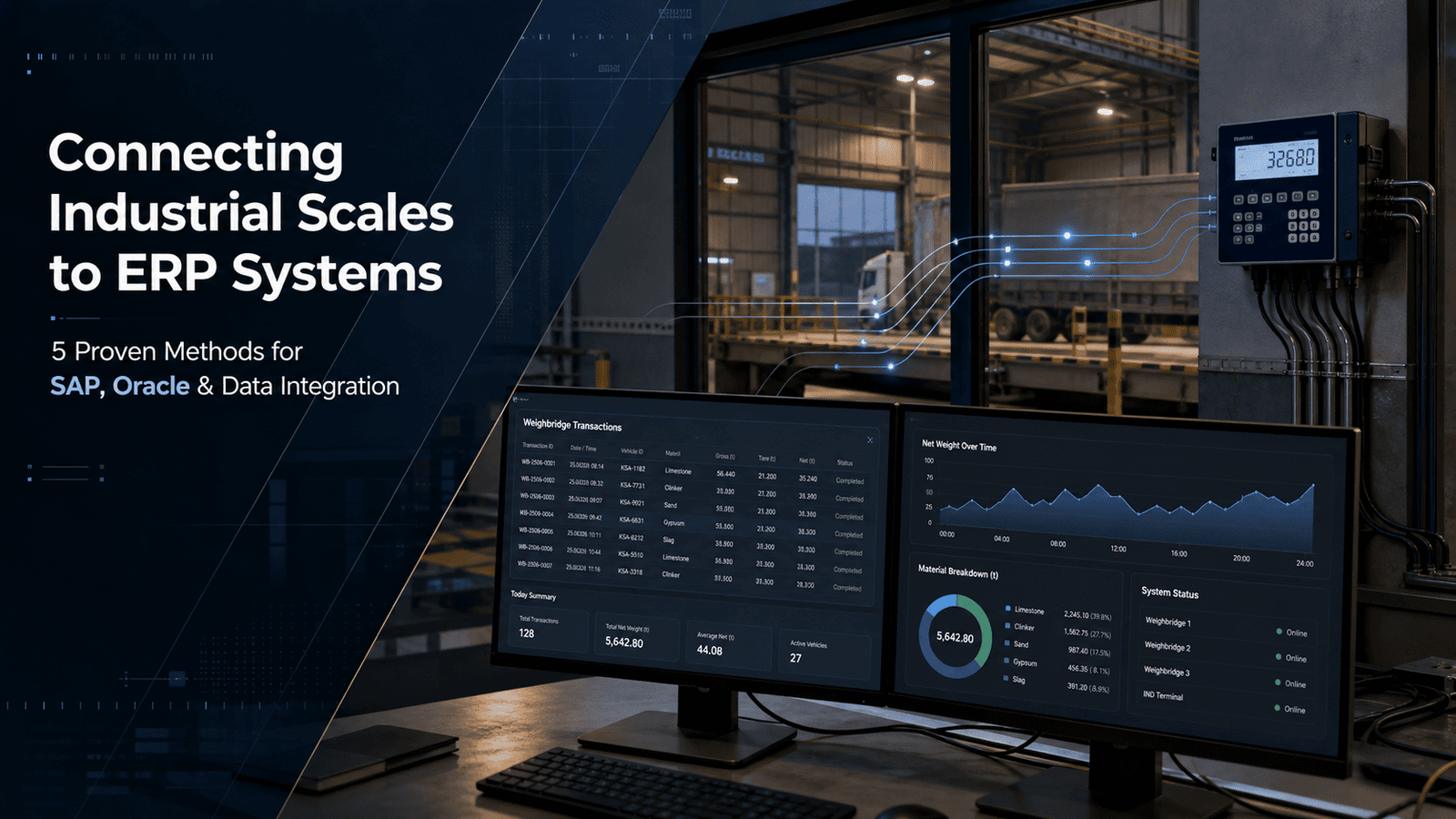
Your weighbridge is processing 200 truck movements a day. Each one generates a weight ticket. Someone is keying those numbers into SAP manually, one by one, copying from a printout, hoping nothing gets transposed. You've done the maths. You know what that costs you, not just in labour, but in errors, disputes, and audit exposure.
ERP systems for industrial scales aren't a luxury anymore. In Saudi Arabia's industrial market, where ZATCA e-invoicing compliance and Vision 2030 supply chain efficiency targets are reshaping expectations, getting your weighing hardware talking directly to your ERP is fast becoming a baseline requirement. The question isn't whether to integrate. It's how to do it right, which protocol fits your setup, and what the realistic path looks like in a KSA or GCC context.
01 Why Most Industrial Facilities in KSA Still Haven't Integrated Their Scales
It's not a budget problem, usually. And it's not a lack of awareness either. In my experience working with clients across the Eastern Province and Riyadh's industrial zones, the real blocker is almost always one of three things: nobody internally owns the problem; the scale supplier and the ERP team are in completely different silos; or a previous integration attempt was botched and left a bad taste.
Here's the thing, though, the cost of not integrating is genuinely higher than people account for. When weight data travels by hand (a printout, a verbal call, a WhatsApp message to the logistics desk), you introduce delay, transcription error, and a gap in your audit trail. For companies in sectors like cement, mining, or oil and gas, where a single overloaded truck or an under-declared shipment can carry compliance consequences, that gap is a real liability.
ERP systems for industrial scales exist to close that gap entirely. The weight event happens on the platform; the data lands in your ERP within seconds; your inventory, billing, and compliance records update automatically. No middle step, no human relay.
“ The cost of not integrating is genuinely higher than people account for, and most operations managers only realise this after the audit. — Section 01
02 The 5 Core Integration Methods (and When to Use Each)
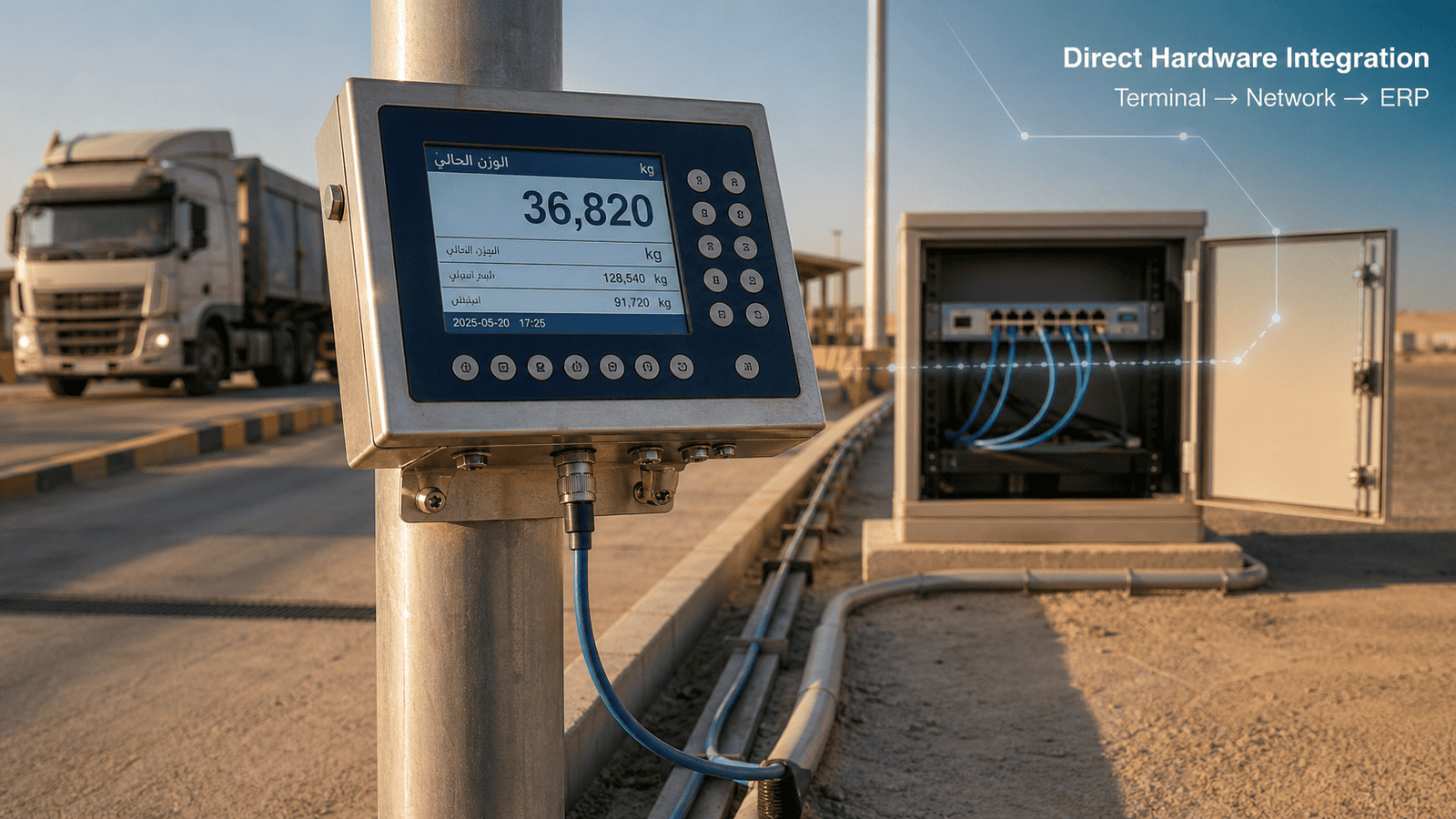
This is where it gets practical. There isn't one universal way to connect industrial scales to SAP, Oracle, or any other ERP. The right method depends on your hardware, your ERP version, your IT infrastructure, and how much real-time visibility you actually need.
1. Direct Serial / RS-232 Connection
The oldest method, and still perfectly valid for simpler setups. Most industrial weighing terminals output data over RS-232 by default; your ERP's data acquisition layer or a middleware converter captures that output and pushes it into the relevant tables.
Straightforward, low-cost, works well for single-scale installations with modest transaction volumes. The limitation: RS-232 doesn't scale well across a large site. Running serial cables across a 500-metre logistics yard isn't practical, and the protocol has no built-in error correction or acknowledgement, so data loss in noisy industrial environments is a real risk. Good for small plants, single weighbridge installations, and retrofits where budget is tight.
2. OPC / OPC-UA (Open Platform Communications)
If you're in a plant environment with PLCs, SCADA systems, or existing industrial automation infrastructure, OPC-UA is likely already in your stack. It's the industrial standard for real-time data exchange between hardware and software systems, and it's supported natively by most modern weighing terminals, including Mettler Toledo's IND series.
OPC-UA gives you a standardised, secure, bidirectional data channel. Your SAP or Oracle system reads from the OPC server; the scale writes to it. Timestamps, unit conversion, alarm states, all part of the same data stream. Best suited for manufacturing plants, cement facilities, and any environment with existing OPC infrastructure.
3. Database-Level Integration (ODBC / SQL Write)
This is probably the most common approach for mid-sized operations that want a clean, auditable integration without a full middleware layer. The scale terminal or its connected PC writes weight records directly to a shared database (MS SQL, Oracle DB, MySQL); your ERP pulls from that database on a scheduled or event-driven basis.
Clean, reliable, and relatively easy for an internal IT team to support. The main risk is managing database permissions and connection reliability, especially in facilities with older network infrastructure. Good for operations with a competent internal IT team, multi-scale sites, and scenarios where real-time isn't critical but accuracy and auditability are.
4. API / Web Services Integration (REST or SOAP)
Modern ERP systems, particularly SAP S/4HANA and Oracle Fusion Cloud, expose REST APIs for data ingestion. This is increasingly the preferred architecture for new deployments because it's platform-agnostic, version-tolerant, and doesn't require direct database access.
The scale terminal, or more commonly a gateway device sitting between the scale and the network, sends HTTP POST requests to your ERP's API endpoint each time a weight transaction is completed. The ERP validates, acknowledges, and processes the payload. Clean handshake, built-in error handling, full audit log. If you're running a cloud ERP or a recent on-premise version of SAP or Oracle, this is the integration method to push for. It's also the most future-proof architecture as your scale estate grows.
5. Purpose-Built Middleware: Mettler Toledo DataBridge
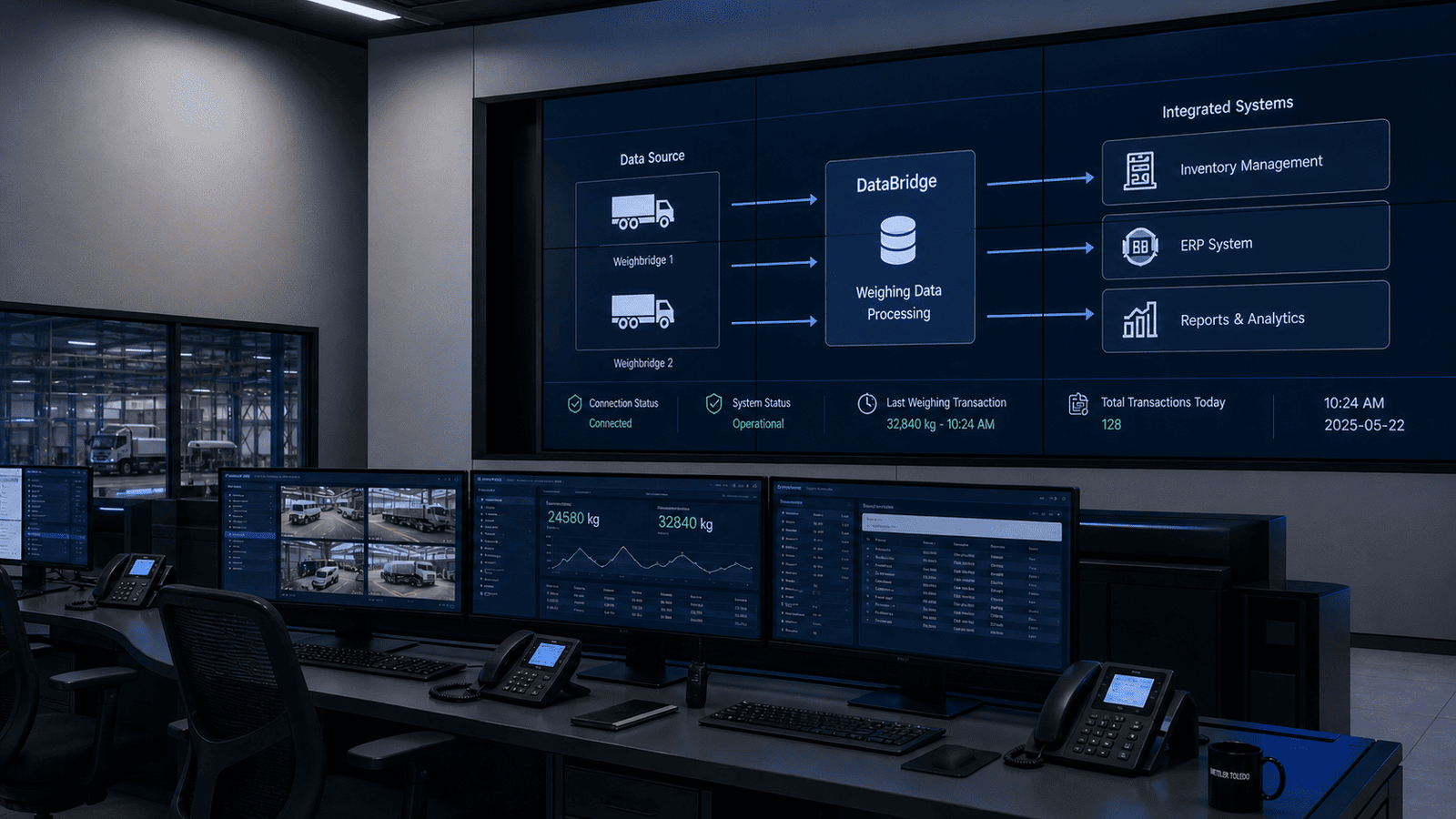
This is the one I always recommend when the scale estate is Mettler Toledo and the ERP is SAP, Oracle, or any of the major platforms. DataBridge is Mettler Toledo's own integration middleware, purpose-built for exactly this problem, and it changes the conversation entirely.
DataBridge comes in three tiers: Standard Single (SS) for single-scale, single-ERP connections; Multi-Scale (MS) for larger fleets; and Enterprise (ES) for complex multi-site, multi-ERP environments. The Enterprise tier has been independently shown to improve transaction processing speed by up to 50%, which, on a busy cement plant dispatch operation, translates directly to throughput and billing speed.
What DataBridge does that generic middleware doesn't: it understands the Mettler Toledo data model natively. Weighment IDs, tare weights, material codes, tolerance flags, RFID transaction identifiers, all mapped correctly out of the box, without custom scripting. As Mettler Toledo's official partner in Saudi Arabia, Global Scales & Systems configures and supports DataBridge across the full product line, so the integration doesn't land on your internal IT team alone.
Pro tip
If your facility runs Mettler Toledo hardware, DataBridge should be your first conversation, not an afterthought. It eliminates the custom scripting that makes generic integrations brittle, and it's supported under the same service agreement as your scale hardware. One vendor relationship, one support line, zero finger-pointing when something breaks.
03 What Actually Happens During an ERP Integration Project
Let me be honest about something: integration projects that go badly usually fail in the planning phase, not the technical execution. The protocol choice matters; the architecture matters more; but the single biggest factor is whether someone on both sides, scale side and ERP side, actually owns the project from start to finish.
Here's what a well-run integration looks like in practice.
Discovery (Week 1–2). Map every scale point in the facility. Document what terminal model is installed, what software version it's running, and what data it outputs (weight, timestamp, truck ID, material code, operator, RFID tag). On the ERP side: identify the target transaction types (goods receipts, inventory postings, billing documents, customs declarations). Agree on the data dictionary; this is where most projects fall apart later if skipped.
Architecture sign-off (Week 2–3). Choose your integration method based on the discovery output. Get formal sign-off from both IT and operations. If you're using DataBridge, this is when the DataBridge configuration profile is built and tested in a staging environment.
Development and testing (Week 3–6). Build the integration; test with real transaction volumes; stress-test for network dropout and recovery behaviour. The question to answer here: what happens when the connection between the scale and ERP drops mid-transaction? Does the record queue locally and sync on reconnection? It should.
Cutover and go-live (Week 6–8). Run parallel (manual plus automated) for a defined period, typically two weeks. Compare outputs. When they match, cut the manual process. Not before.
04 SAP-Specific Integration: What You Need to Know
SAP is the dominant ERP in Saudi Arabia's heavy industry sectors. If you're on SAP (ECC or S/4HANA), the relevant transaction types for scale integration are typically MM (Materials Management) for goods movements, SD (Sales and Distribution) for outbound deliveries, and sometimes FI (Finance) for direct billing on weight.
SAP has a native interface called IDoc (Intermediate Document) that has been used for decades to accept inbound data from external systems, including scales. It works, but it's verbose and requires SAP Basis involvement to configure correctly.
The cleaner path for modern SAP environments is the SAP Integration Suite (formerly SAP Cloud Platform Integration), which accepts REST payloads and routes them to the appropriate SAP module. If your DataBridge is configured for SAP output, it can target either IDoc or REST depending on your SAP version. This flexibility is part of why DataBridge is worth the investment over a custom-built connector.
One KSA-specific note worth flagging: ZATCA's e-invoicing requirements (Phase 2 integration) mean that weight-based billing transactions increasingly need to carry validated, system-generated data. A manual weight entry into an SAP billing document is a weak point in that chain; a direct scale-to-ERP integration is a significantly stronger audit position.
“ A manual weight entry into an SAP billing document is a weak point in your ZATCA audit chain. Direct scale-to-ERP integration is the stronger position. — Section 04
05 Oracle-Specific Integration: The Practical Path
Oracle ERP Cloud (Fusion) and Oracle E-Business Suite (EBS) are both common in KSA's oil and gas and utilities sectors. The integration architecture differs meaningfully between them, so it's worth treating each separately.
For Oracle EBS, the traditional path is database-level integration via Oracle's open interface tables (RCVTXINTERFACE for receiving transactions, for example). Your scale data gets staged into these tables; Oracle's concurrent programs pick them up and create the inventory transactions. It's not elegant, but it's proven and well-understood by any Oracle DBA.
For Oracle Fusion Cloud, the REST API approach is the right one. Oracle provides well-documented REST endpoints for inventory and logistics transactions; DataBridge or a lightweight gateway device can POST weight records directly to these endpoints. The advantage here is that Oracle Fusion's API layer handles data validation, so you catch errors at the integration boundary, not buried in your inventory.
In either case, the principle is the same: the scale generates the ground truth; the ERP records it; no human transcription in between. That's what ERP systems for industrial scales are designed to deliver.
06 The Mettler Toledo Hardware That Makes Integration Easier
Not all scale hardware is equally integration-ready. Older analog systems, cheap entry-level load cells, and third-party terminals without documented communication protocols will all make your integration project harder and more expensive. This is worth thinking about before you commit to a hardware estate.
Mettler Toledo's industrial line is designed with integration in mind. Here's what that means in practice:
| Feature | What It Actually Means for Your ERP Integration |
|---|---|
| POWERCELL PDX load cells with 10-year warranty | Stable, consistent data output for a decade; no recalibration drift creating ERP data quality issues |
| IND9U Unattended Terminal with RFID (IP69K rated) | Transactions captured automatically without operator intervention; RFID tag data flows directly into ERP goods receipt |
| DataBridge SS/MS/ES middleware | Pre-built connectors for SAP, Oracle, and 30+ other ERPs; up to 50% faster transaction processing at Enterprise tier |
| StrikeShield lightning protection | Critical in KSA's desert environment; protects scale hardware and the data integrity of the integration stream during lightning events |
| Onboard data buffering | Transactions queue locally during network outages and sync to ERP on reconnection; zero data loss regardless of connectivity |
The IND9U deserves a specific mention for unattended truck weighing operations. When a driver rolls onto the platform, the RFID reader captures the truck tag, the weighment fires automatically, and the DataBridge Software pushes the completed transaction to SAP or Oracle in real time. No gatekeeper. No manual entry. The entire workflow runs without a single human in the loop. For high-volume logistics or port operations, that's a transformative efficiency gain.
07 Common Integration Mistakes (and How to Avoid Them)
We keep seeing the same patterns come up. Not from lack of intelligence, just from lack of visibility into how these projects typically fail.
Mistake 1: Treating the scale as a dumb peripheral. The assumption that the scale just "sends a number" leads to under-specified integrations. Modern weighing terminals can output material codes, operator IDs, RFID tags, tolerance status, timestamp, cumulative totals, and more. If you don't capture this data at integration design time, you can't recover it later.
Mistake 2: Skipping the network survey. Your scale is in a yard, often 200 metres from the nearest comms cabinet. Does that run have adequate shielding? Is it on the same VLAN as your ERP servers? Does it have a stable IP assignment? These questions matter enormously for integration reliability, and they're rarely asked early enough.
Mistake 3: Testing with low transaction volumes. An integration that works for 10 test transactions will sometimes fail for 200 live transactions per hour. Test at production volume, with realistic network conditions, before go-live.
Mistake 4: No failover plan. What happens when the integration drops? If the answer is "we don't know," that's a gap. Decide in advance: does the terminal queue locally and sync on reconnection? Does an alert fire to the operations team? Does a backup manual process kick in? Document it.
Common mistake
Testing at low transaction volumes is one of the most reliable ways to sign off on a broken integration. Always stress-test at realistic production throughput, and simulate a network outage mid-test. If the integration doesn't recover cleanly, it's not ready for go-live.
“ An integration that works for 10 test transactions will sometimes fail for 200 live transactions per hour. Test at volume, always. — Section 07
08 FAQ: ERP Integration for Industrial Scales in Saudi Arabia
These are the questions we get most often, with straight answers.
Can industrial scales connect directly to SAP without middleware?
Technically yes, in some configurations, via IDoc or direct BAPI calls from a scale-connected PC. But direct connections without middleware are fragile; they break on SAP upgrades, network changes, and configuration drift. Middleware like Mettler Toledo DataBridge adds a resilience layer that pays for itself the first time SAP updates its API.
How long does an ERP integration project take for industrial scales?
For a single-scale, single-ERP connection using DataBridge, a realistic timeline is four to six weeks from discovery to go-live, assuming the ERP team is engaged and the network infrastructure is in place. Multi-site or multi-ERP projects typically run eight to sixteen weeks.
Does the integration work with SAP S/4HANA specifically?
Yes. DataBridge supports SAP S/4HANA via REST API and IDoc. The specific integration profile depends on your S/4HANA version and which modules you're targeting (MM, SD, WM). Global Scales & Systems can advise on the correct configuration for your specific system.
What happens to weight data if the network connection drops?
With Mettler Toledo terminals running DataBridge, transactions buffer locally on the terminal or the DataBridge server and sync to the ERP automatically when connectivity is restored. No data is lost. This behaviour should be explicitly tested during your UAT phase, not assumed.
Is ERP integration relevant for checkweighing systems, not just weighbridges?
Absolutely. Checkweighing in food production, pharmaceuticals, and FMCG is a high-frequency transaction environment where manual data recording is simply not viable. ERP integration for checkweighers feeds weight results directly into quality management (QM) modules, batch records, and production orders. The protocols differ slightly from weighbridge integration, but the principle is identical.
Do we need to involve SASO for integrated scale systems in KSA?
The scale itself must be SASO-certified regardless of whether it's integrated with an ERP. Integration doesn't change the metrological certification requirements; it just changes how the certified data is captured and stored. Your compliance obligation is to the scale hardware and its calibration; the ERP integration sits above that layer.
Can the integration support multiple sites across the GCC?
Yes, and this is one of DataBridge Enterprise's core use cases. A single DataBridge ES instance can manage scale estates across multiple countries, routing transactions to the appropriate ERP entity based on site configuration. For companies operating across KSA, UAE, and Bahrain from a single SAP instance, this is a significant operational advantage.
09 The Right Way to Start an ERP Integration Project for Industrial Scales
Don't start with the technology. Start with the transaction.
Pick one weight transaction in your operation, the one that causes the most friction, the one your logistics team complains about most, the one that generates the most manual reconciliation work. Map it end to end: what happens when a truck pulls onto the platform, and what should happen in your ERP by the time it drives away? That mapping exercise usually reveals exactly which integration method fits, what data you need to capture, and where the gaps in your current setup actually are.
From there, the technical conversation gets a lot easier. And if you're running Mettler Toledo hardware or planning to, Global Scales & Systems, Mettler Toledo's official partner in Saudi Arabia, can walk through the DataBridge configuration for your specific ERP environment. We've done this across KSA's major industrial sectors and know where the friction points usually hide.
Reach out and we'll start with a technical discovery call.

 Click to start chat